
The question can you stream movies in 3d sounds simple, but the real answer depends on the device, app, movie title, country, and whether the platform actually offers a 3D version. A movie may exist in 3D, but that does not mean every streaming app, smart TV, phone, browser, or subscription plan will show it in 3D.
Yes, viewers can stream some movies in 3D through supported devices and official services. Apple’s support page, for example, explains that Apple Vision Pro users can open the Apple TV app, find “3D movies,” choose a movie, and play it in 3D when the 3D version is available. Disney+ also promotes 3D movies as part of its Apple Vision Pro experience, including online viewing at home and offline viewing while traveling.
For Watch Livestream Sound of Text, this topic belongs in the Movies category because the viewer’s real intent is not only technical. They want to know whether 3D movies are actually watchable through streaming, what setup is needed, and how to avoid paying for a movie that only plays in 2D.
3D Movie Streaming Is Possible But Not Universal
Streaming a 3D movie is not the same as opening any ordinary movie on a smart TV. Three things must line up at the same time: the movie must have a 3D version, the app must support 3D playback, and the viewer must use a device capable of showing real depth.
The Movie Must Have A 3D Version
The first check is the title itself. Some movies were released in 3D theatrically, but not every streaming platform offers the 3D version. A platform may only provide the standard 2D version even if the movie once had a 3D cinema release.
This is why viewers should look for a clear 3D label, 3D category, or 3D playback option before renting, buying, or subscribing. Apple’s Apple TV app has a dedicated “3D movies” area for Apple Vision Pro users, and Apple says viewers may need to buy or rent the 3D version from the movie page.
If a title page only says HD, 4K, HDR, Dolby Vision, or Dolby Atmos, that does not automatically mean 3D. Those labels describe picture or sound quality, not stereoscopic depth.
The App Must Support 3D Playback
The second check is the app. A movie can have a 3D version, but the app must know how to deliver and display that version.
This is where many viewers get confused. They may search for a 3D movie on a phone, laptop, or smart TV and only see the regular version. That does not always mean the movie has no 3D version. It may mean the app only shows the 3D option on supported hardware.
Disney+ is a useful example because its 3D movie experience is described as exclusive while experiencing Disney+ on Apple Vision Pro. In other words, the same Disney+ brand can feel different depending on the device.
The Device Must Show Real Depth
The third check is the screen. A normal phone, laptop, tablet, or smart TV usually displays movies in 2D unless it has specific 3D support. A headset or supported 3D display is more likely to show proper depth.
This is why a 3D movie stream is not only about internet speed. The device must be able to show separate depth information to the viewer’s eyes. Without that, the app may hide the 3D option or simply play the 2D version.
How To Check 3D Streaming Before Paying
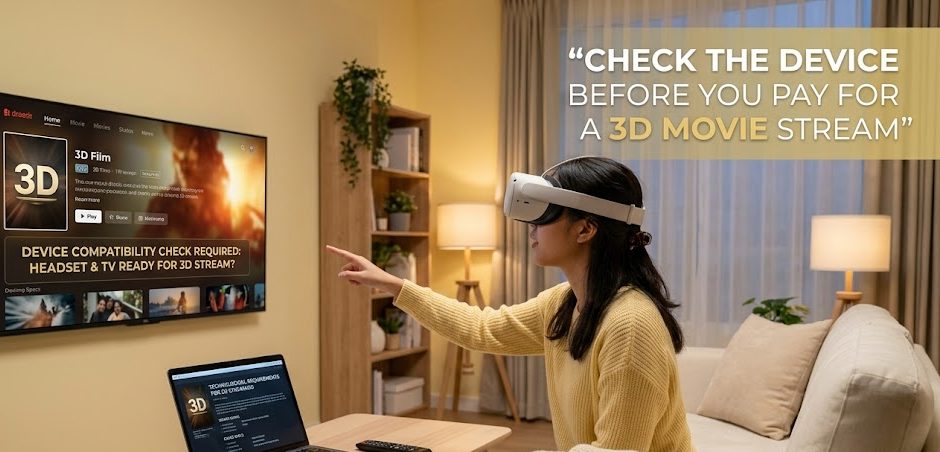
The safest way to answer “can you stream movies in 3D” is to check the setup before spending money. Do not start from the movie poster. Start from the device and app.
Step 1 Start From The Device You Actually Use
Choose the device first. Are you watching on Apple Vision Pro, a VR headset, a 3D TV, a smart TV, a laptop, a phone, or a tablet?
This matters because a platform may support 3D on one device but not another. If the service only offers 3D playback through a headset, checking the same title on a regular smart TV may not show the same options.
For Apple Vision Pro, Apple gives a direct 3D movie path inside the Apple TV app: open Apple TV, go to Vision or Search, tap “3D movies,” choose a title, then play in 3D when available.
Step 2 Search Inside A Service That Labels 3D Movies
The next step is to search inside the streaming app or store, not only in a browser search engine. Look for sections such as:
- 3D Movies
- Vision
- Immersive
- Spatial
- 3D version
- Play in 3D
- Buy or rent in 3D
Apple TV has a visible 3D Movies room with titles listed under that collection, which makes the discovery process clearer than guessing from a normal movie page.
If the platform has no 3D category, no 3D label, and no device-specific 3D help page, assume the movie may only stream in 2D until proven otherwise.
Step 3 Confirm Whether The 3D Version Is Included Or Separate
A 3D version may not always be included in the same way as the 2D version. It may require purchase, rental, subscription access, a supported app, or a compatible device.
Apple says previously purchased movies that are now available in 3D can be viewed in 3D for free, but viewers may also need to buy or rent the 3D version from the movie page depending on the title.
That detail matters because a viewer may own a movie but still need to confirm whether the platform has upgraded or enabled a 3D version for that title.
Step 4 Test With A Known 3D Title First
Before planning a full movie night, test one known 3D title or preview. This helps confirm that the device, app, account, and playback setting are working correctly.
During the test, check:
- whether the play button says 3D
- whether the app asks to play in 3D
- whether the image has real depth
- whether the headset or device is comfortable
- whether subtitles work as expected
- whether streaming quality remains stable
- whether the movie falls back to 2D
A small test prevents the most annoying problem: paying for access and only realizing later that the setup cannot actually show the 3D version.
Apple Vision Pro Gives One Of The Clearest Official Paths
Right now, Apple Vision Pro is one of the clearest official answers for viewers who want to stream 3D movies legally through major entertainment apps.
Apple TV App Has A Dedicated 3D Movie Area
Apple’s instructions are specific. Users can open the Apple TV app on Apple Vision Pro, tap Vision or Search, tap “3D movies,” choose a movie, and tap Play in 3D.
That is important because the viewer is not relying on a random download site or unclear third-party tool. The 3D movie path is inside an official app and an official device ecosystem.
Disney+ Also Supports 3D Movies On Apple Vision Pro
Disney+ also presents 3D movies as part of its Apple Vision Pro experience, describing immersive environments and 3D movies that can be watched online at home or offline while traveling.
This makes Disney+ relevant for viewers who want studio films, franchise movies, and a more entertainment-focused 3D catalog. The important detail is still device support. The Disney+ 3D experience is tied to Apple Vision Pro, not every ordinary screen.
Why Normal Smart TVs And Phones Often Fall Back To 2D
Many viewers assume that a 4K smart TV should be able to stream 3D movies because the screen is large and high quality. But resolution and 3D depth are different things.
A Sharp Picture Is Not The Same As 3D Depth
A 4K movie can look detailed without being 3D. HDR can improve brightness and contrast without adding stereoscopic depth. Dolby Atmos can improve sound without changing the picture depth.
A 3D movie needs a compatible 3D presentation method. If the device and app do not support that method, the viewer may only get the 2D version.
Unsupported Devices May Hide The 3D Option
Some platforms show features only when the device supports them. This is why a viewer may search the same movie on different devices and see different playback options.
A title that appears in a 3D section on one device may appear as a normal movie on another. That can feel inconsistent, but it usually comes down to hardware, app support, and licensing.
Country Availability Can Change The Catalog
Streaming catalogs vary by region. A 3D title that appears in one country may not be available in another. A platform may also change movie availability over time due to studio agreements, regional rights, or technical support.
This is why viewers should check the title from their own account and location before assuming a 3D movie is available.
Legal 3D Streaming Is Better Than Random 3D Download Pages
When official 3D options feel limited, viewers may be tempted by random download pages, ripped files, or unofficial streaming sites. That is not a good viewing habit.
Official Apps Give Clearer Rights And Playback
The safer route is always an official store, subscription service, or platform that clearly labels the 3D version. Apple TV and Disney+ on Apple Vision Pro are examples of official routes where the 3D experience is part of the platform’s supported playback environment.
This protects viewers from fake files, misleading “3D” labels, bad playback formats, and malware-heavy download pages.
Random 3D Movie Sites Can Mislead Viewers
A random site may claim to offer a 3D version, but viewers still need to ask:
- Is the movie legally offered there?
- Is the file actually 3D?
- Is the site using fake download buttons?
- Does it ask for strange software?
- Does it redirect to unknown pages?
- Does it require unsafe browser extensions?
- Is the title copied from another platform?
If the answer is unclear, the safer move is to leave.
A Better Way To Decide Before Movie Night
A viewer who wants to stream 3D movies should follow a simple order. First, check the device. Second, check the official app. Third, check whether the title has a labeled 3D version. Fourth, confirm whether the 3D version is included, rented, or purchased. Fifth, test playback before settling in for the full movie.
This order is better than searching the movie title first because 3D streaming depends on the whole chain. The movie, app, device, account, region, and playback mode all matter.
So the practical answer is yes, you can stream movies in 3D, but not everywhere and not on every screen. The experience is strongest when the platform clearly supports 3D playback and the viewer uses a device designed to show it properly.

Riku Aonuma previously worked as a programming researcher for an entertainment media company covering live concerts, esports tournaments, television specials, and cultural events. He has spent more than nine years checking broadcast schedules, comparing viewing platforms, and preparing event guides for online audiences. His articles help readers find legitimate ways to watch live content while understanding time zones, availability, and platform restrictions.


1 comment
Comments are closed.