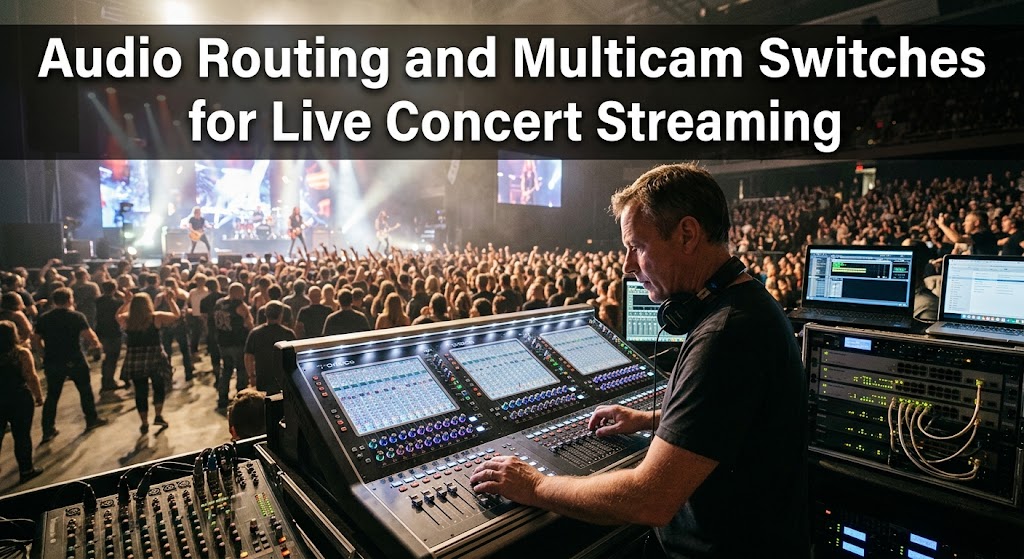
A singer hits the chorus, the crowd roars, the bass cabinet kicks hard, and suddenly the online audience hears a distorted wall of low-end instead of the vocalist. That’s the kind of failure that can wreck an otherwise polished live concert streaming production. The fix isn’t simply “turn the bass down.” At concert scale, audio and video need separate, deliberate signal paths before they ever reach the encoder.
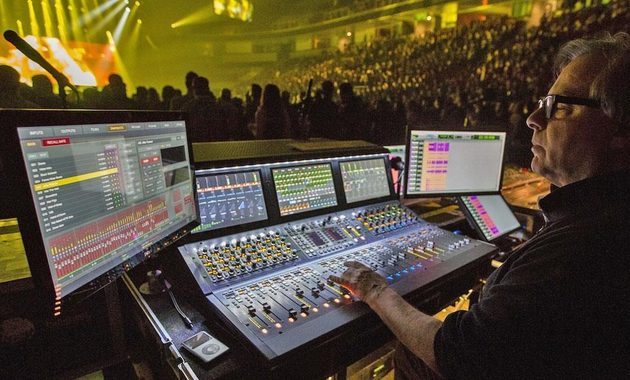
This is where Dante networking, dedicated switching, and a properly designed master mix become useful. Dante, for example, uses PTP-based clock synchronization to keep networked audio devices aligned, while professional production switchers can handle video cuts, macros, graphics, and audio control from one workflow.

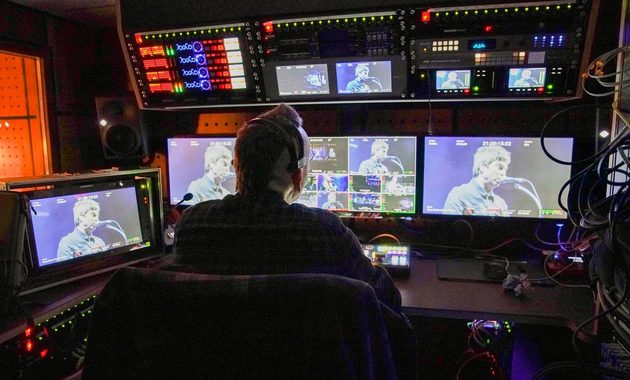
1. Live Concert Streaming Needs a Separate Master Audio Path
The biggest mistake is treating the venue’s PA mix as the online mix. They serve different audiences.
A house mix is designed for people standing inside the venue. The streaming mix is designed for listeners wearing headphones, earbuds, TVs, or small speakers thousands of kilometres away.
For a serious setup, build separate feeds for:
- Vocal microphones
- Instrument microphones
- Direct instrument outputs
- Audience microphones
- Playback and backing tracks
- Intercom or talkback
- Dedicated stream master
That separation lets the engineer reduce crowd noise, control bass buildup and preserve vocal clarity without changing what the physical audience hears.
Dante Audio Routing Keeps the Signals Organized
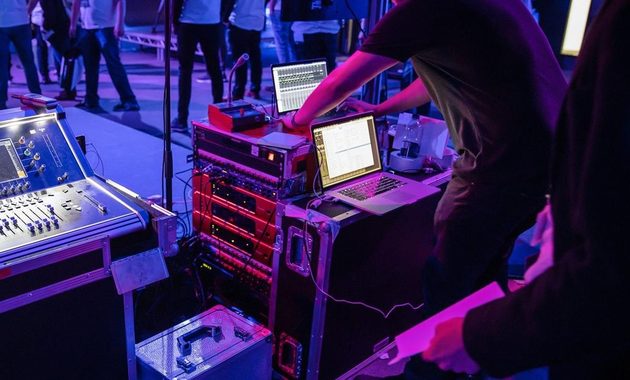
Dante audio routing is particularly useful when the production has many networked inputs and destinations. Audinate’s documentation describes PTP synchronization, configurable receiver latency and support for both unicast and multicast audio flows. Dante also operates over wired Ethernet rather than Wi-Fi, which matters when reliability is non-negotiable.
A practical signal path could look like:
Stagebox → Dante network → digital console → stream mix → encoder → streaming platform
The important part is that the stream mix has its own processing. Don’t simply duplicate the venue’s master bus and hope headphones magically make everything sound good.
Build a Master Mix Matrix
A master mix matrix gives the production team control over what different outputs receive.
For example:
- Program stream gets the finished music mix.
- Recording receives a clean master.
- FOH receives the venue mix.
- Commentary gets a separate feed.
- Backup encoder receives a parallel program feed.
This becomes especially valuable when a concert has multiple distribution destinations.
For reference, professional switchers such as Blackmagic’s ATEM range integrate multichannel audio mixing, EQ, compression and limiting alongside video production controls.
Why Audience Mics Deserve Their Own Faders
Audience microphones are useful for atmosphere, but they’re dangerous when left uncontrolled.
Keep them low during verses and bring them forward between songs, applause moments or audience interaction. That creates the feeling of being in the room without allowing thousands of voices to bury the artist.
This is also why a separate stream mix is worth the extra effort.
If you’re researching other large-scale streaming formats and official event sources, this guide to major live streaming events can help put the production scale into perspective.
Watch Sample Rate and Clocking Before Going Live
Digital audio devices must agree on timing. Dante uses PTP to distribute synchronization across the network, while receivers compensate for network latency according to their configured settings.
Before rehearsal, confirm:
- Sample rate is consistent.
- One clocking strategy is defined.
- Network paths are stable.
- Latency settings are appropriate.
- Redundant paths are tested if available.
Keep the Stream Mix Independent
Don’t let the video director become responsible for fixing audio problems while switching cameras.
The audio engineer should be able to maintain a stable master regardless of which camera is on air. That’s the foundation of a reliable concert broadcast.
6
2. Hardware Video Switchers Make Multicam Concert Production Faster
Once audio is separated, the next challenge is camera switching.
A concert can easily involve wide shots, close-ups, drummer coverage, crowd reactions, roaming cameras and backstage feeds. Cutting between them manually without a proper system quickly becomes chaotic.
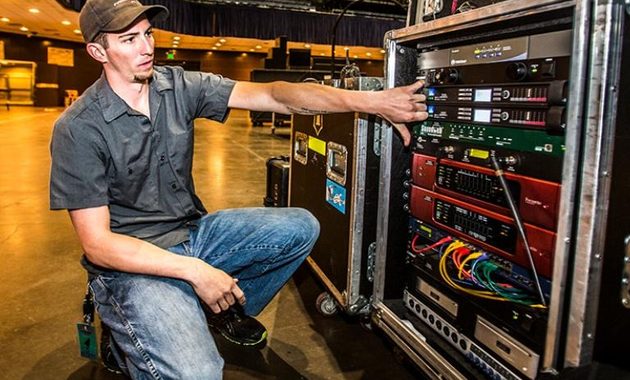
A dedicated hardware video switcher gives the director a physical control surface designed specifically for fast live decisions. Blackmagic’s ATEM systems, for example, support live source switching, transitions, keying, graphics and audio control, while larger models can support multiple operators through networked software control.

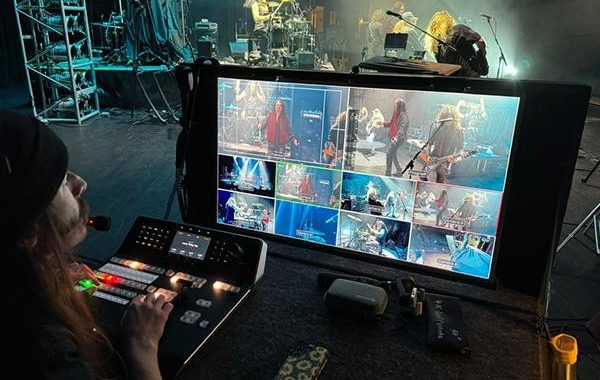
The director should think in shots, not cameras.
A useful concert sequence might be:
Wide shot → lead singer close-up → guitarist → drummer → crowd → wide shot
The goal isn’t to cut constantly. It’s to make every transition feel intentional.
Macros Turn Repetitive Actions Into One Button
Professional switchers can use macros or custom controls to automate sequences. Ross documentation, for example, describes macros that can trigger switcher states, audio mixer settings, camera scenes and external devices.
That means one button could potentially:
- Recall a camera arrangement
- Change a graphic
- Trigger a transition
- Recall an audio state
- Activate another production device
This is particularly useful during predictable moments such as opening titles, sponsor segments or artist introductions.
Multicam Synchronization Prevents Ugly Cuts
Multicam synchronization matters because cameras and audio sources must share a stable timing reference.
Without proper synchronization, switching between cameras can expose timing differences, frame jumps or audio that feels slightly detached from the picture.
For larger productions, frame synchronization and stable clocking should be tested before the show, not discovered during the encore.
Audio Should Not Follow Every Camera Cut
One tempting workflow is to automatically switch audio whenever the camera changes.
That’s not always desirable.
A close-up of the guitarist doesn’t mean the guitar suddenly needs to dominate the entire mix. The stream’s master audio should remain musically coherent even while the director changes visual perspective.
Modern production systems can support audio-follow-video workflows, but that feature should be used deliberately rather than blindly.
3. Multicam Synchronization, Monitoring and the Final Stream Check
A polished concert workflow needs one final layer: monitoring.
Don’t rely on the confidence monitor in the production room. Someone should monitor the actual encoded stream path whenever possible.
Before going live, check:
- Vocal clarity on headphones
- Bass distortion
- Crowd microphone level
- Lip sync
- Camera frame timing
- Audio peaks
- Encoder status
- Backup recording
- Network stability
The production team should also perform a full rehearsal using the same signal paths planned for the show.
For larger venues, a redundant audio or network path can be worth the additional complexity. Dante supports redundant networking and synchronized clocking strategies designed for resilient professional environments.
The real trick is simple: don’t let one system do everything.
Use the audio network to move sound, the console to build the stream mix, the switcher to control pictures, and the encoder to deliver the final program. Once those jobs are separated, troubleshooting becomes dramatically easier.
And if something breaks, you can actually find the culprit instead of staring at a giant rack of blinking lights wondering which one just betrayed you.
A well-designed live concert streaming workflow should feel almost boring during the show. That’s a good thing. When the vocalist stays clear, the cameras cut smoothly and the audience hears exactly what it should, the technology disappears and the performance takes over.
Q&A
Can I use the venue’s FOH mix for the livestream?
You can, but it isn’t ideal. A dedicated broadcast mix gives the engineer independent control over vocals, instruments and audience microphones for listeners who aren’t physically inside the venue.
Do I really need Dante for a small concert?
No. Dante becomes more valuable as the number of networked audio devices, channels and destinations grows. A smaller production can often use a conventional digital mixer and direct connections.
Should audio automatically change whenever the camera changes?
Usually not. Audio-follow-video can be useful for specific workflows, but music concerts generally benefit from keeping the master audio mix independent from visual cuts.

Riku Aonuma previously worked as a programming researcher for an entertainment media company covering live concerts, esports tournaments, television specials, and cultural events. He has spent more than nine years checking broadcast schedules, comparing viewing platforms, and preparing event guides for online audiences. His articles help readers find legitimate ways to watch live content while understanding time zones, availability, and platform restrictions.